
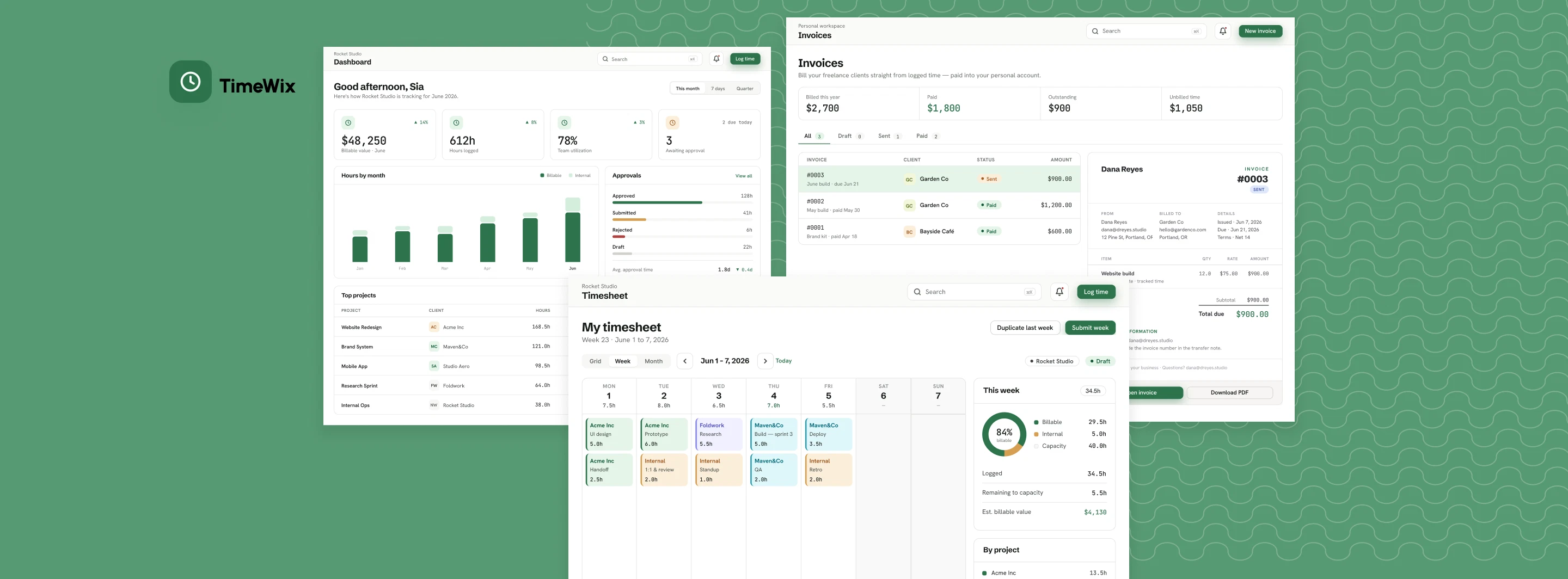
TimeWix
Overview
The Challenge
Problem Framing
For freelancers and small businesses, the journey from completed work to payment is often fragmented. Time is tracked in one tool, approvals happen through messages or spreadsheets, invoices are created separately, and payments must be verified manually.
As a result, the same information is repeatedly transferred between platforms, increasing administrative work and making it difficult to understand what has been tracked, approved, invoiced, or paid.
Key Challenges

Disconnected workflows
Time tracking, approvals, invoicing, and payments are managed across separate tools that do not share information.

Repetitive manual work
Hours, rates, project details, and client information must be repeatedly copied into spreadsheets and invoices.

Limited financial visibility
Users struggle to distinguish between tracked value, approved work, invoiced revenue, outstanding balances, and completed payments.

Different levels of complexity
Freelancers need a simple billing workflow, while growing businesses require teams, permissions, approvals, payroll, and reporting.
The Goal
Design a scalable platform that connects the entire billing lifecycle while keeping everyday tasks fast, clear and approachable for both independent professionals and growing teams.
HOW MIGHT WE
Help freelancers and small businesses move from completed work to paid invoices without repeatedly transferring or verifying the same information?
Understanding the workflow behind the invoice
The research focused on how independent professionals and small studios move from completed work to payment and where information is lost between tools.
Stakeholder interview
Business model, operational constraints and product vision.
6 user interviews
Freelancers, studio owners, operations and team members.
Competitive review
Time tracking, invoicing, and payment tools.
Participants
- P1
- Freelance product designer
- P2
- Creative studio founder
- P3
- Operations manager
- P4
- Project manager
- P5
- Agency contractor
Research Questions
 How is billable time captured today?
- Where do approvals break down?
- How do tracked hours become invoices?
- How are payments confirmed?
- Which tasks need to work on mobile?
Understanding Users
The strongest signal was not frustration with any single task. It was the loss of context as work moved from time tracking to billing and payment.

Dana Reyes
Freelance Product Designer
“I need a clear path from the work I did to the money I’m owed.”
GOALS
- Track billable work
- Invoice quickly
- See outstanding payments
FRUSTRATIONS
- Re-entering project data
- Forgetting to invoice
- Manual payment checks

Andrey S.
Digital Studio Founder
“I need every invoice to be based on approved work that cannot silently change.”
GOALS
- Capture all billable hours
- Approve before billing
- Monitor utilization
FRUSTRATIONS
- Incomplete timesheets
- Message-based approvals
- No reliable audit trail
Studio Owner Journey
- CONFIDENTSet up
Create project, client, rate & budget.
- CAUTIOUSTrack
Team records daily hours.
- IN CONTROLApprove
Review, request changes & lock.
- RELIEVEDInvoice
Generate invoice from approved time.
- INFORMEDReport
Review utilization and revenue.

Product Structure
I explored three structural directions before choosing the workspace model:
Outcome
The workspace model created a scalable foundation for both audiences. Freelancers receive a focused experience, while growing teams gain additional controls without moving into a separate product. Users can expand from Personal to Organization while keeping the same familiar workflow and product language.
Key Experience
Each decision answers the next risk in the time to payment journey.
Capture the work
Flexible week, month and grid views make daily entry faster. Project, task, duration and rate stay attached from the beginning.
If capture is difficult, every later financial stage becomes less reliable.
Protect the work
Submission, review, change requests and locking turn approval into a financial checkpoint. The team can see exactly what is ready to bill.
Approval is not merely a status. It is the moment work becomes trustworthy revenue.
Turn work into revenue
Invoices inherit approved time, project data and rates. Payment status and reconciliation complete the same visible chain.
Users no longer need to rebuild the story of the work in order to bill for it.
Design System
I created a scalable design system to support the growing complexity of TimeWix across Personal and Organization workspaces. Colors, typography, interaction states and reusable components were defined as one shared product language for desktop and mobile.
Final Design
 Web Platform Experience
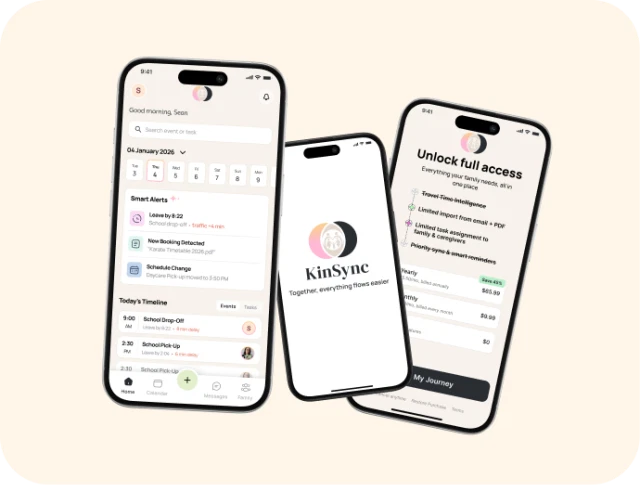
 Mobile Experience
Reflections
Reflection & Takeaways
TimeWix reminded me that the first version of a problem is not always the real problem. What started as a time tracking concept became a much broader exploration of how work moves toward payment. Following one billable hour through the product helped me design each feature as part of one connected experience rather than as a separate screen. It also showed me how important clear structure and consistent product language are when designing for users with different levels of complexity.
Next Steps

Test the complete workflow with freelancers and studio owners.

Improve workspace switching, approvals and invoice creation based on feedback.

Explore bank integrations, automated reminders and smarter financial reporting.
LET'S TALK
And make something meaningful.
Thanks for scrolling all this way ✦